
Asakiri Studio
How a course comes together
A course in Asakiri is a set of lessons that all draw from one shared library of what you teach. There is no fixed order to work in. Fill the library first if you like, or start a lesson and add words, media, and exercises as you go. Either way, lessons and exercises point back at the same library instead of keeping their own copies.
The four parts of Studio
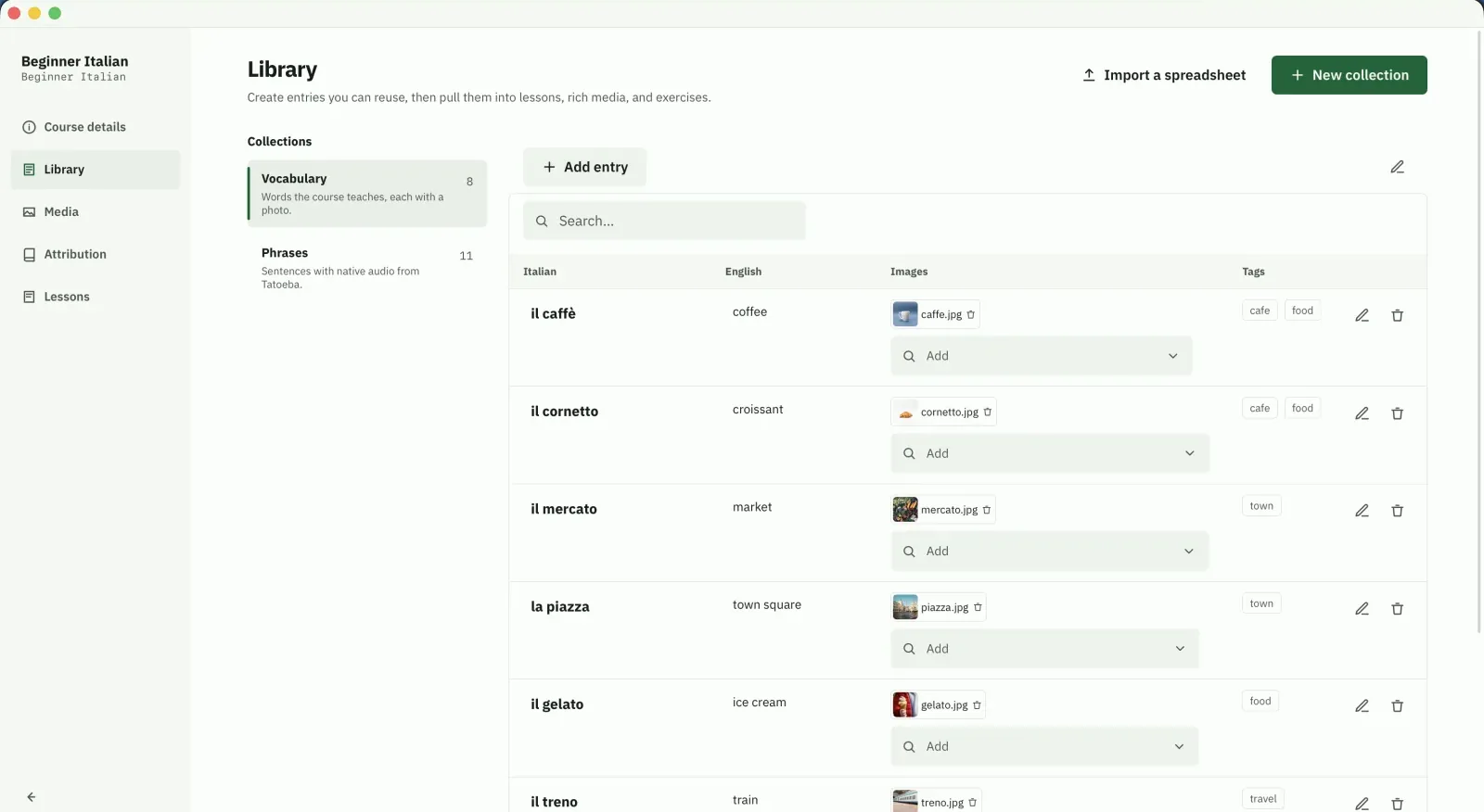
A library of what you teach
Everything a course teaches lives in the library: vocabulary, phrases, grammar notes, each in its own collection. A collection is a table you design, and every entry is a row with the fields you choose, like a word, its translation, and a sound clip. Build it up front, or add to it from inside any lesson.
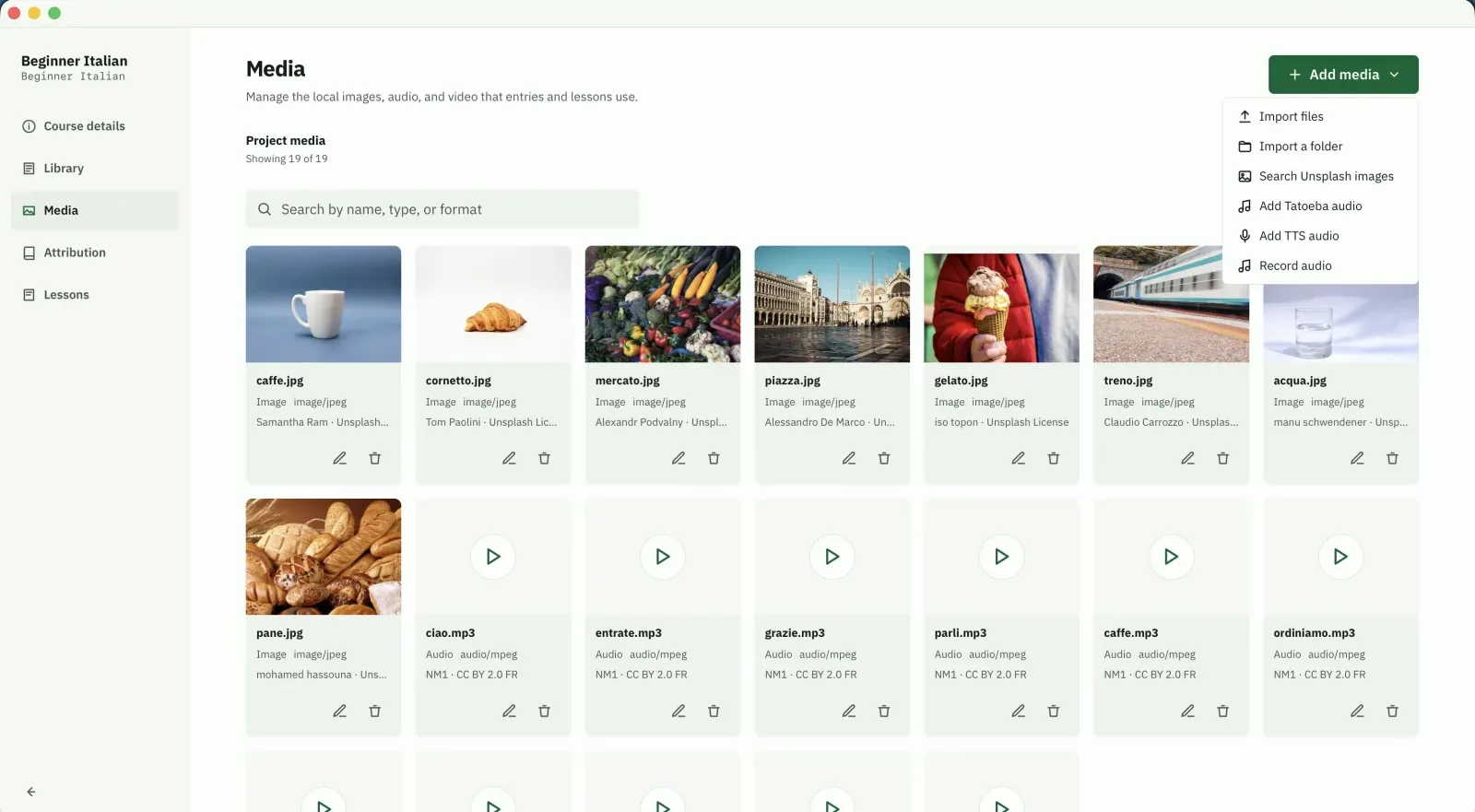
Media kept in your project
Record your own audio, pull photos from Unsplash and sentences from Tatoeba, or import files you already have. Every asset stays in your project folder, so the course works offline and travels with you. Add media in its own area, or the moment a lesson or an entry needs it.
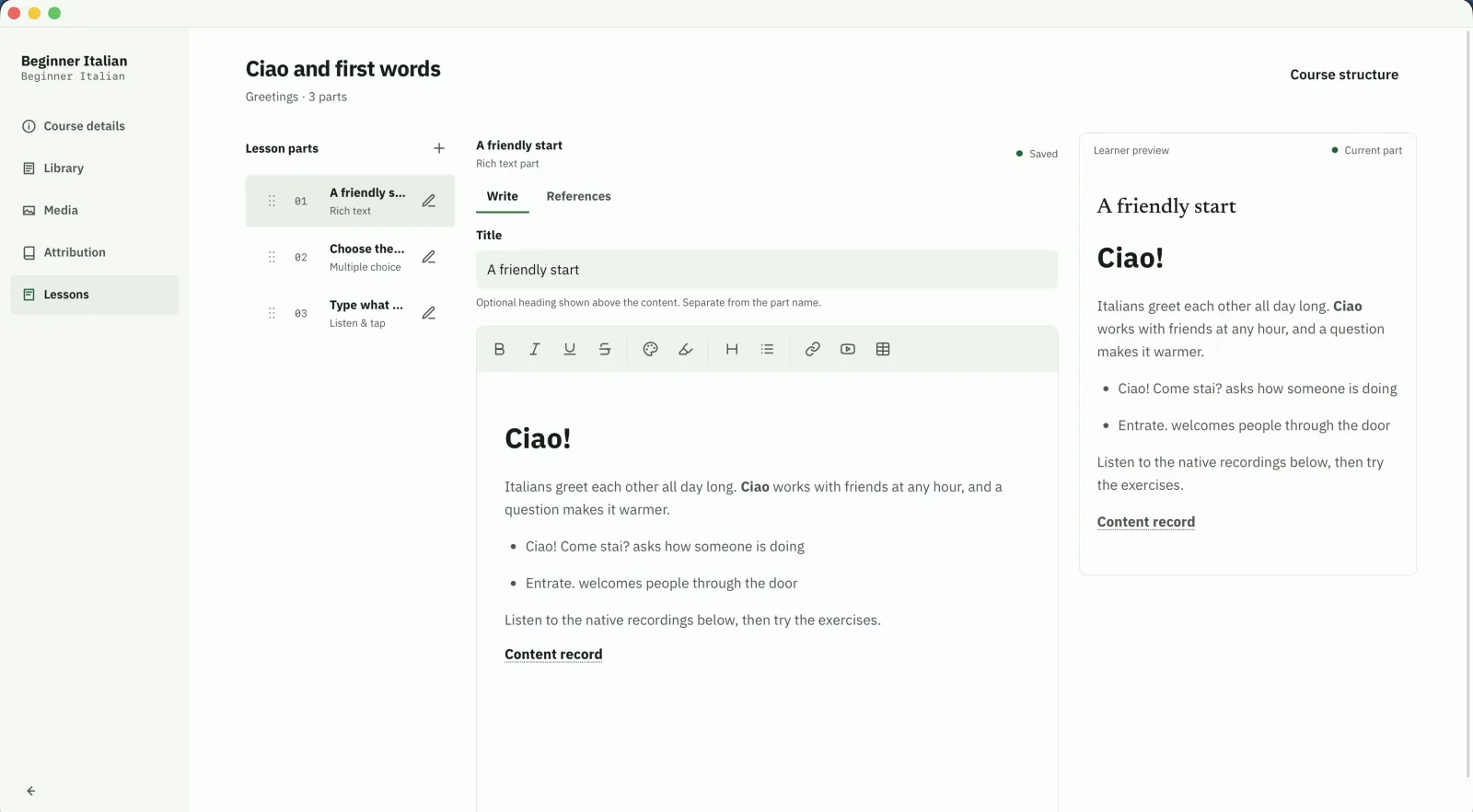
Lessons made of parts
Group lessons into units and arrange each lesson's parts in the outline, then write every part against a live learner preview. A part is rich text, media, or an exercise, and you drop in library entries instead of retyping a word you already have.
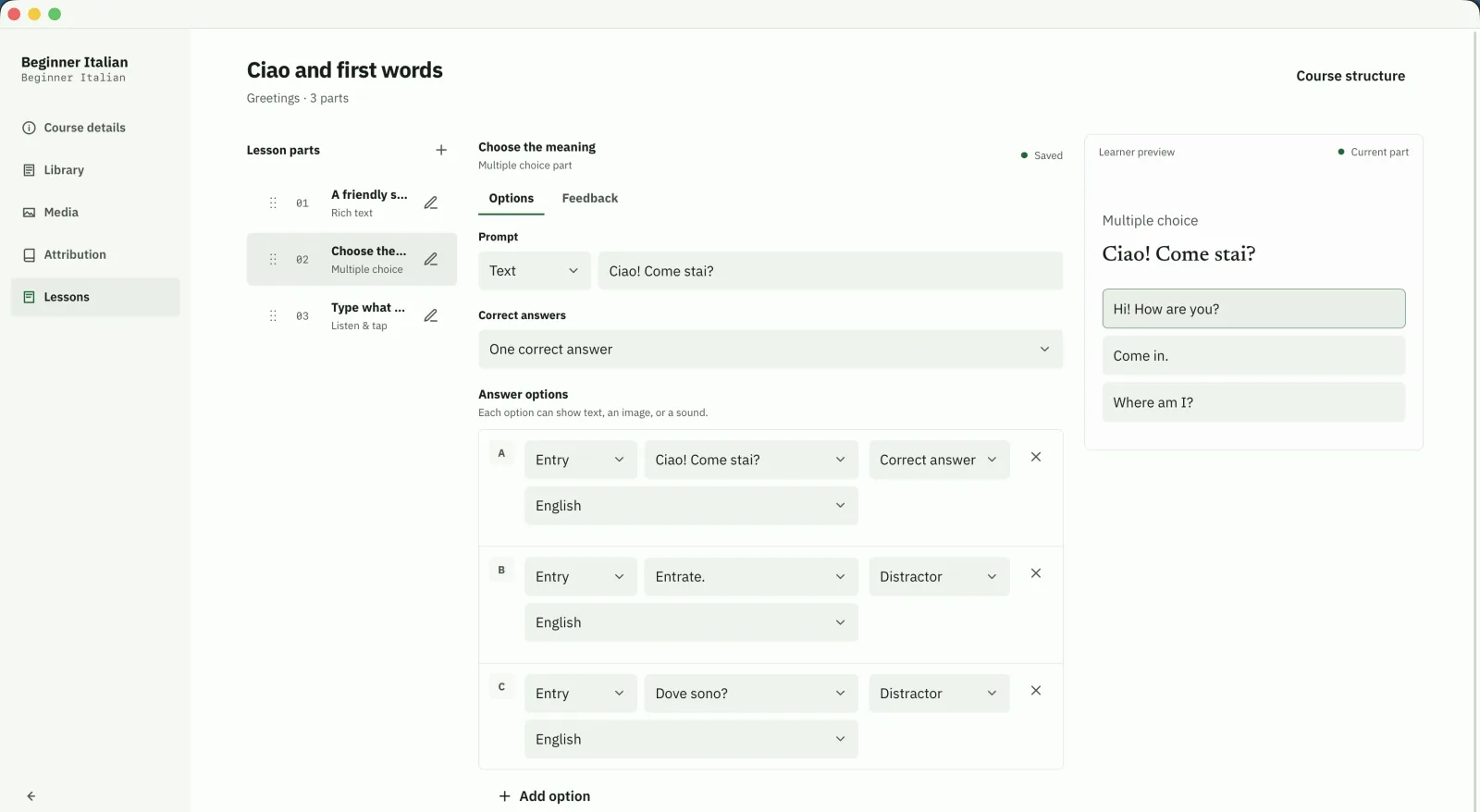
Exercises that grade themselves
Multiple choice, listening, matching, word order, and more. Each exercise reads its answer from your library entries, so the entry is the answer key. Fix the entry and every exercise using it stays correct.
What the library is for
The library is the part people misread, so here it is plainly. It is the one place a course keeps what it teaches. Lessons and exercises point at it. They never hold their own copy.
One source of truth
Every word, phrase, and note lives in the library once. A lesson that uses a word borrows it from there rather than storing its own version.
Fix it once, fixed everywhere
Correct a translation or swap an audio clip in the library, and every lesson and exercise using it updates. There is nothing to hunt down across the course.
It is not a spreadsheet
It shows as a table, but the rows are live. Each entry has a stable ID, so renaming a column or editing a value never breaks the lessons that reference it.
Exercises read from it
A quiz checks the learner against the real entry, not against text typed into the question. The library is the answer key, which keeps grading and content in sync.
Build one yourself
Studio is free and runs on your own machine. Download it and start wherever you like, or read how the pieces fit together in the docs.